

The first questions.
What is a class plan?
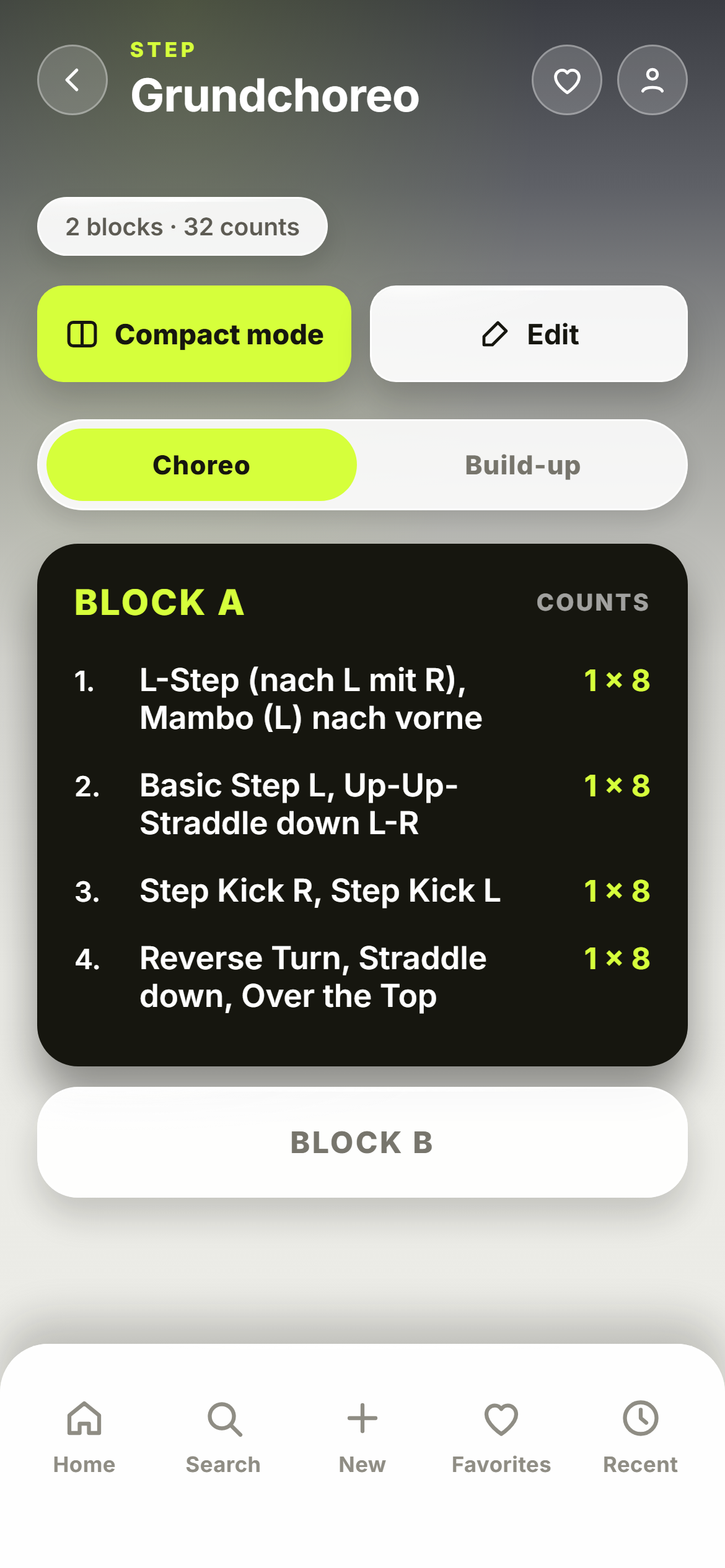
A class plan is the plan for one class — the way you used to write it on a sheet of paper. It has a name, belongs to a class format (Step Aerobics, for example) and is made of blocks: Block A, Block B, Block C. In each block, every line is one move or exercise with its counts. Under every block there is room for a short video of yourself.
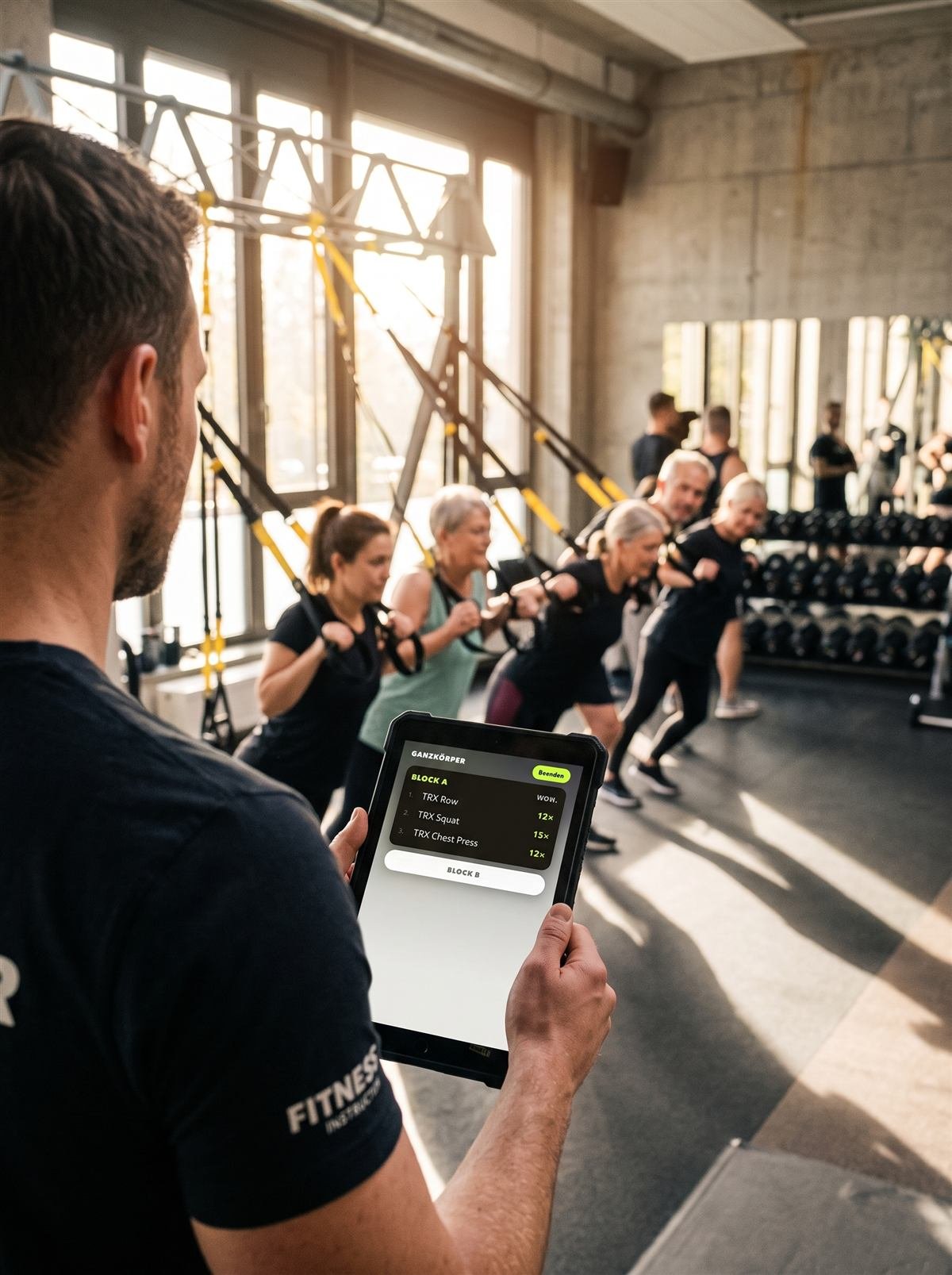
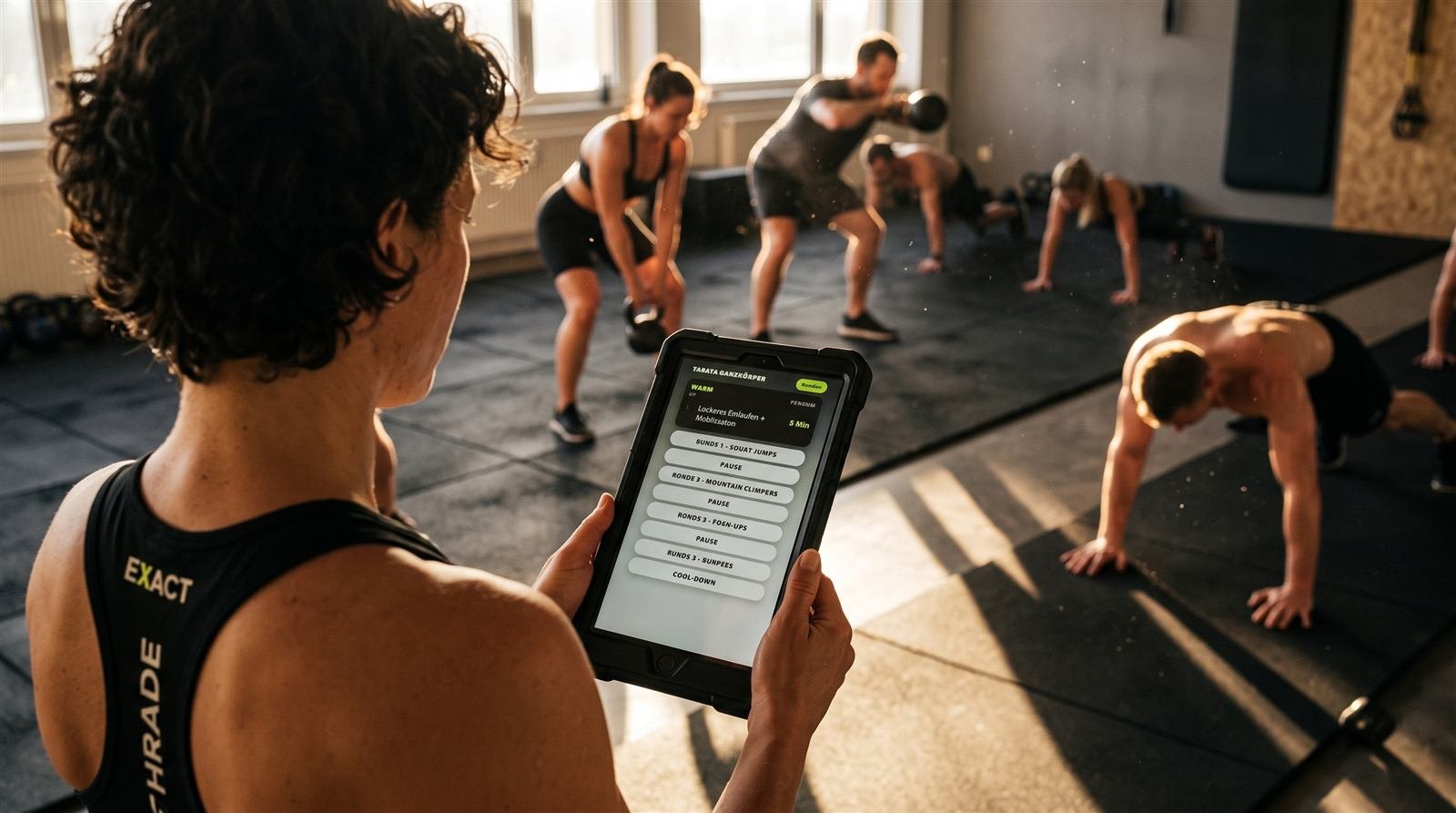
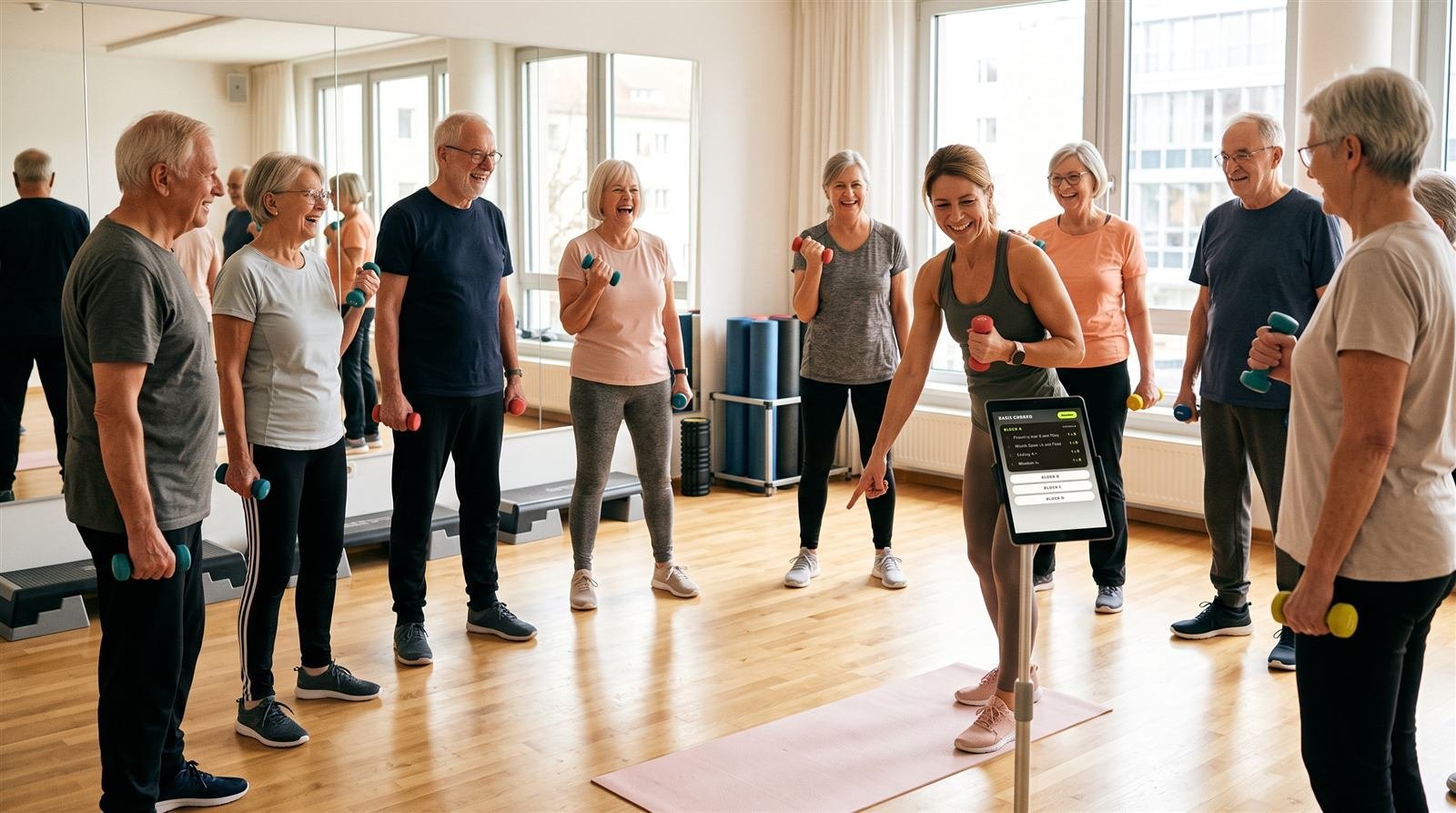
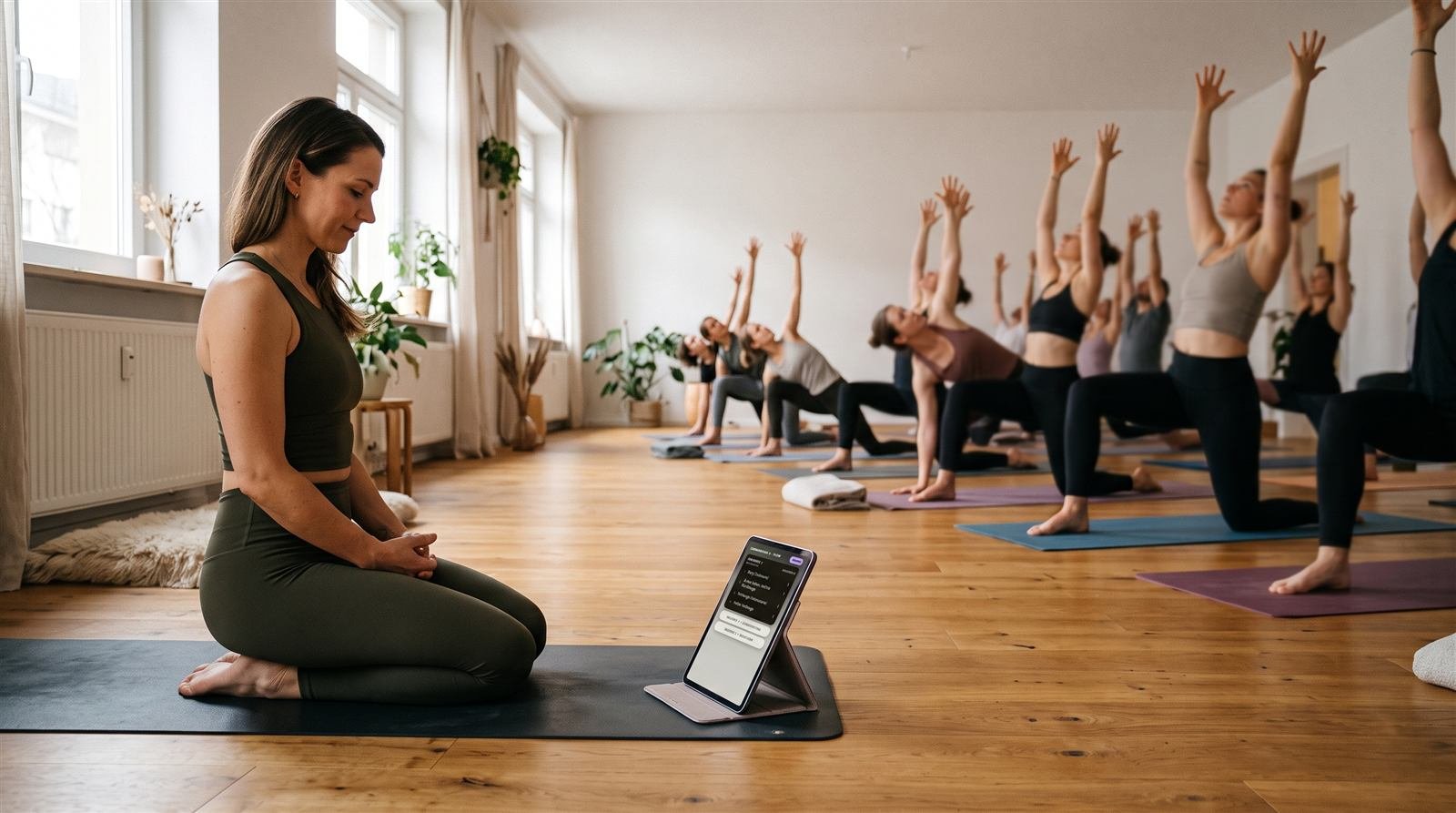
In class you open the class plan, tap the block that's up next and read it off. If a move trips you up, you tap the video. That's all it is — and that's on purpose.
Everything about video on the block is under Video on the block.
Which classes is ChoreoPad made for?
For everything you lead from the front of the room. ChoreoPad knows 17 class formats in four groups:
| Group | Class formats |
|---|---|
| Choreo | Step Aerobics, Dance Aerobics, Latin Dance, Zumba®, Jumping, Fat Burner |
| Body & Mind | Yoga, Pilates, Stretch, Meditation |
| Workout | Workout, Abs Legs & Glutes, Back Fit, TRX®, Tabata / HIIT, HYROX® |
| Cycling | Cycling |
Each format counts the way you cue it in class — in counts, breaths, reps or a free measure. What that looks like in detail is under Creating choreos. You can attach a video to a block in all 17.
Do I need an account?
No. ChoreoPad works fully without signing in. Your class plans, your Favorites and your first name then stay on your device only.
You need an account for just two things: if your phone and tablet should show the same content, and as a backup in case a device breaks or gets lost. You create the account in the app under “Profile” — with an email address and a password. More under Data and account.
The account is free, Pro or not. Sync and backup don't depend on a purchase — if you work for free with two class plans, you get them just the same. Pro only lifts the limit of two class plans of your own, nothing else.
One thing the account does not back up: your videos. They stay on the device you attached them to — see Video on the block.
What does ChoreoPad cost?
Two class plans are free — no account, no time limit, with all 17 class formats, compact mode, Build-up and, once it's there, one video per block. You can change them as often as you like. The 17 built-in templates are separate: reading them and using them in class never costs anything. Edit one and it becomes a class plan of your own — and that one counts.
Pro costs €49 a year or €99 one-time — then it's yours, no subscription. With Pro you create unlimited class plans of your own. Pro changes nothing else: the account, sync between phone and tablet, the backup and video on the block are in there without Pro as well.
There is no monthly plan. If you're the one up front, you shouldn't get a small bill every month.
Are there examples or templates?
Yes. For each of the 17 class formats, one sample class comes pre-installed — “Basic choreo” for Step, “Sun Salutation A – Flow” for Yoga or “Race Simulation” for HYROX®, for example. They're marked “Template” and show how a class plan in that format is built.
Opening a template, reading it and using it in class is always free, with no limit. Edit one and it becomes a copy as a class plan of your own; the template itself stays in the list, unchanged, ready to start from again. That copy counts towards the two free class plans. Because templates are never overwritten, app updates keep improving them.
Which devices does ChoreoPad run on?
On iPhone, iPad and on Android phones and tablets. The app detects a tablet on its own: there the type is a third larger and the content runs up to 900 points wide, so the lines stay readable.
ChoreoPad is on the App Store and on Google Play. There is no browser version (see What ChoreoPad can't do yet).
The app runs in portrait only. A tablet turned sideways doesn't rotate the display.
Which languages is the app available in?
English and German. You switch with the “DE / EN” toggle at the top of the home screen or in your profile. Class format names, labels and the sample classes switch along.
The language you set also decides which language dictation listens in.
Blocks, counts, build-up.
How do I create a new class plan?
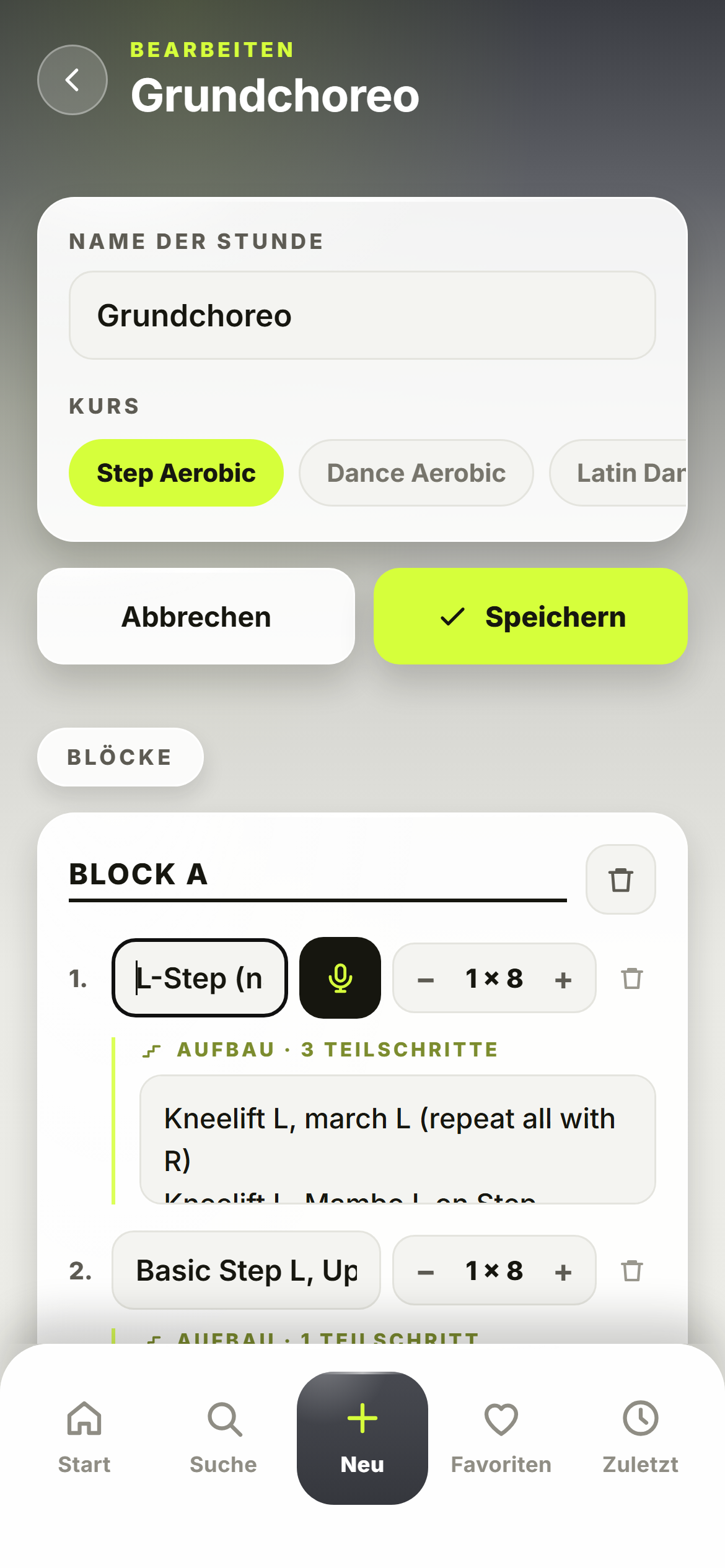
Tap “New” in the bar at the bottom. Then:
- Enter the name of the class — for Zumba® that's the song title.
- Choose the class format: the row of format names swipes sideways. If you're already in a class format's list, that format is preselected.
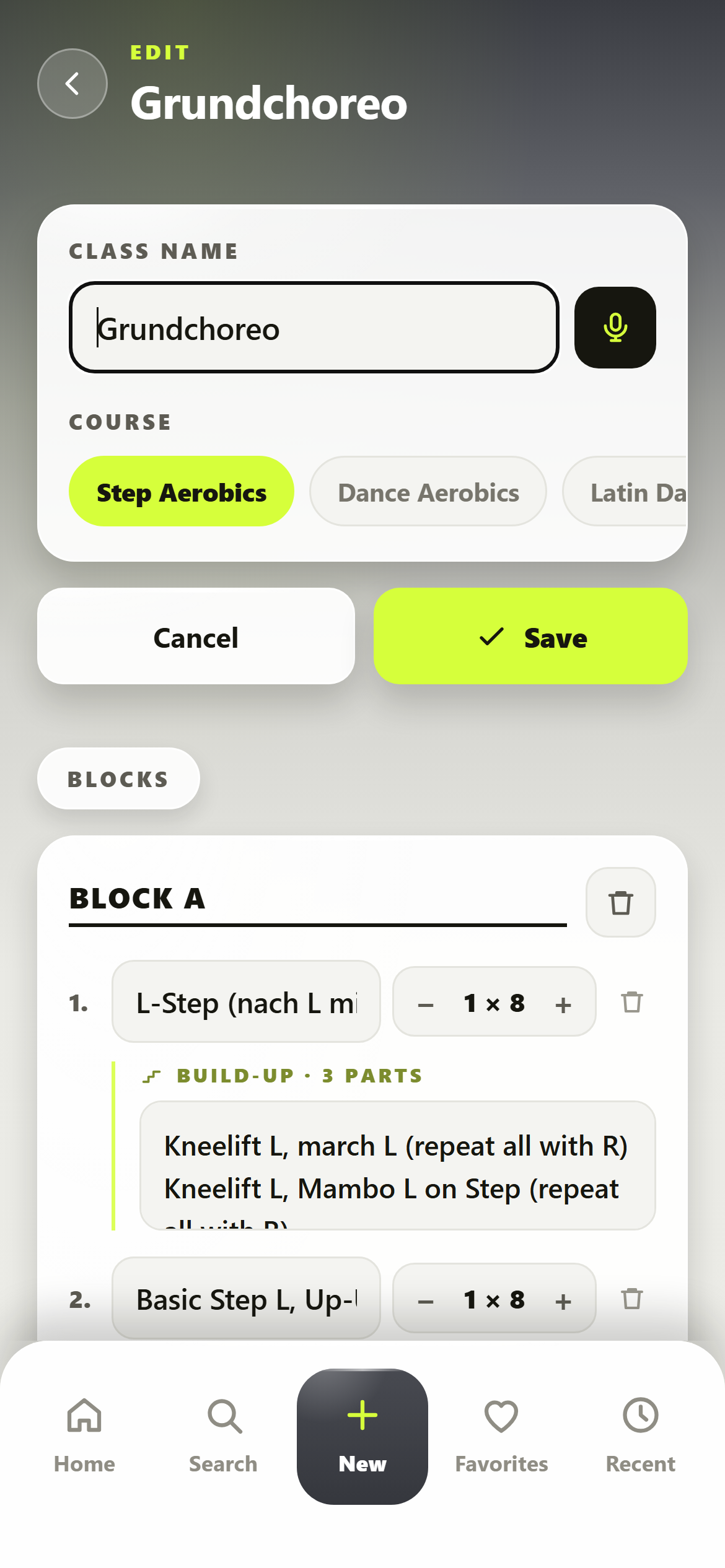
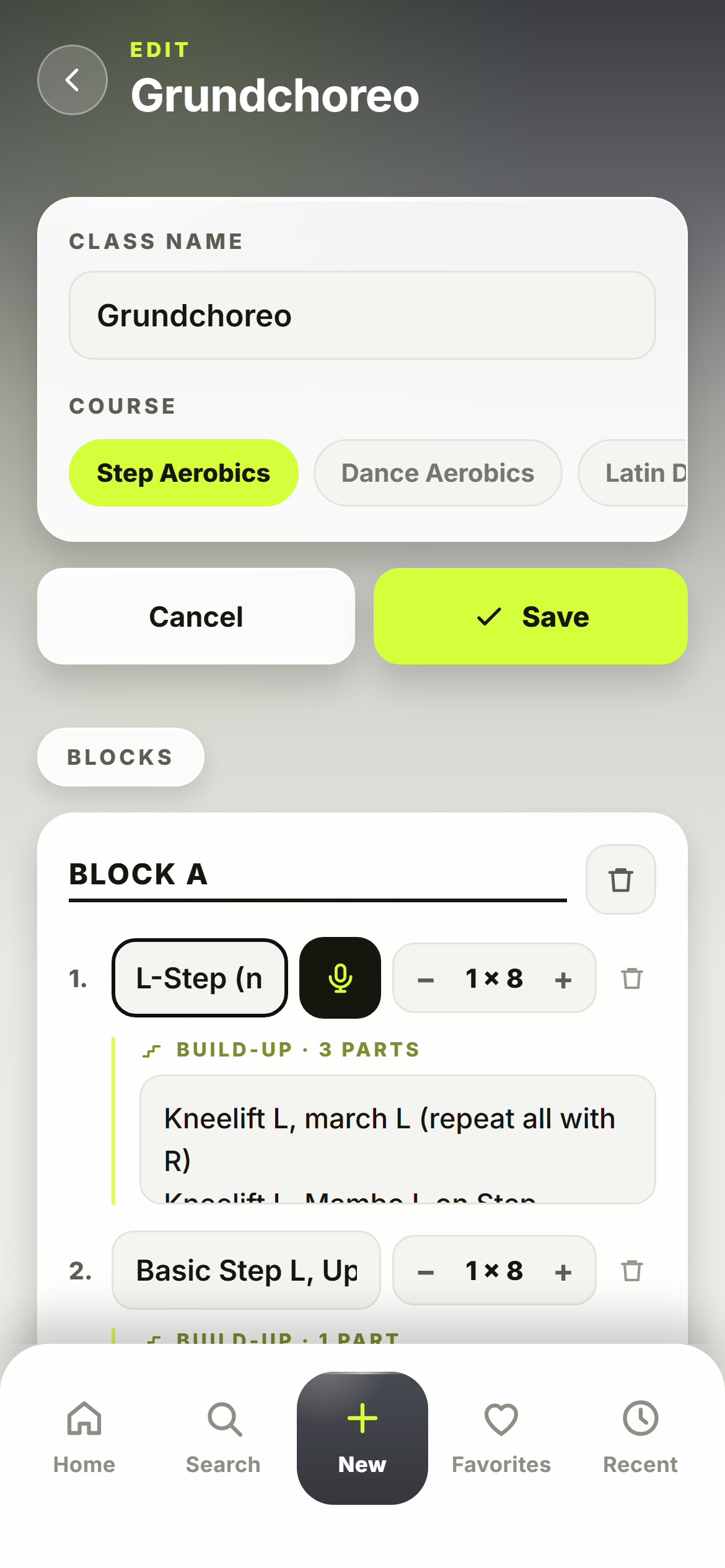
- Fill the blocks: one move per line, the counts to the right of it. “+ Add move” and “+ Add block” sit right below.
- Save. The app won't let you save without a name, and at least one block needs a move.
The app clears empty lines by itself when you save. If you go back with unsaved changes, it asks: discard or save.
You don't attach a video here in the editor, but in the finished class plan — under the open block. How, is under Video on the block.
How do I count — and what about Yoga, TRX® or Tabata?
That depends on the class format. Next to every move, ChoreoPad shows exactly the unit you cue with in that class:
| Unit | Class formats | What it looks like |
|---|---|---|
| Counts in eights | Step, Dance, Latin, Jumping, Fat Burner, Cycling | 1 × 8 to 8 × 8, with minus and plus |
| Breaths | Yoga, Stretch, Meditation | 1 to 12 |
| Reps | Pilates, Workout, Abs Legs & Glutes, Back Fit, TRX® | 1× to 30× |
| Free measure | Tabata / HIIT, HYROX® | a text field, e.g. “50 m” or “40 s” |
| No counts | Zumba® | song title and parts like intro, verse, chorus |
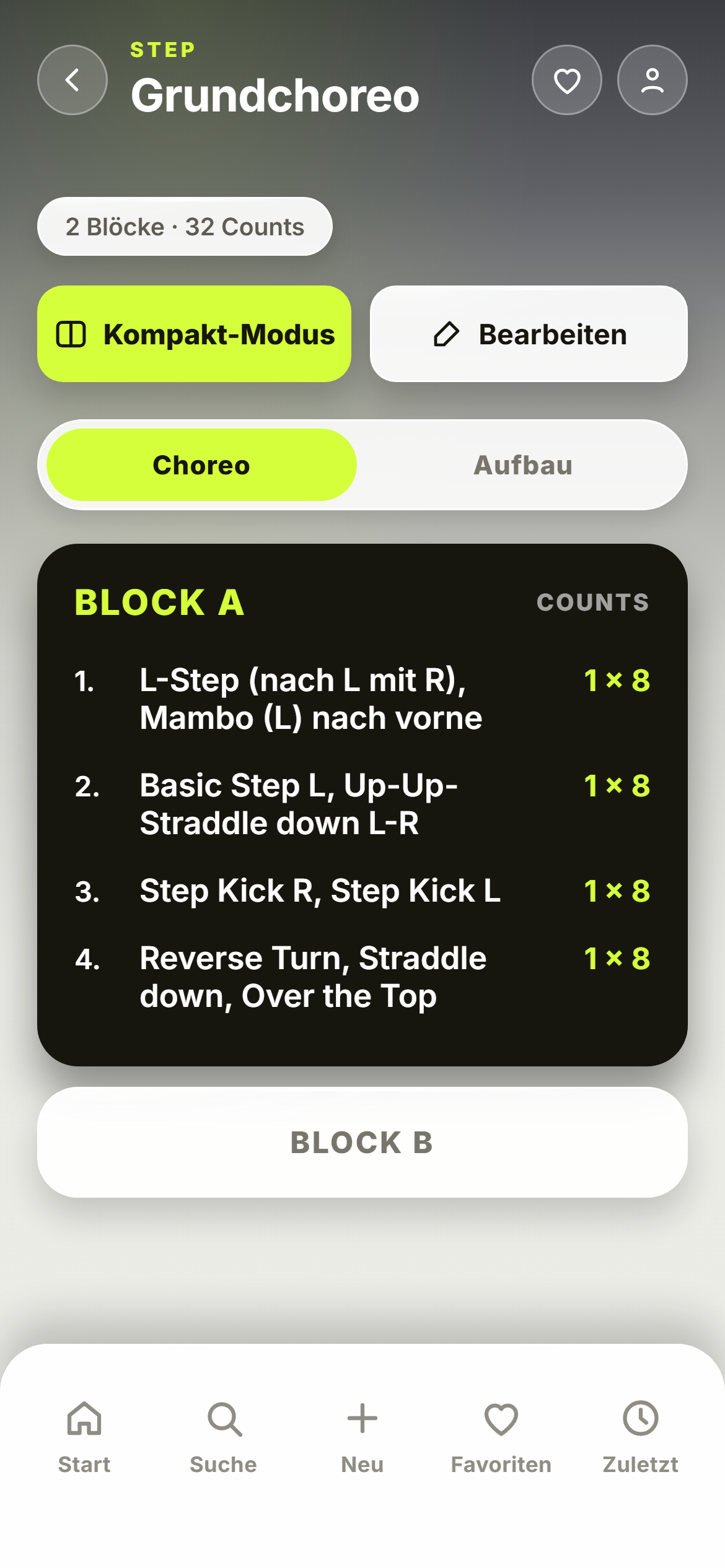
At the top of the class plan, the app adds up the total for you — for choreo formats something like “2 blocks · 32 counts”, for Yoga “3 sequences · 12 poses”.
How do I name blocks?
New blocks are automatically called Block A, Block B, Block C. You can overwrite the name freely.
A tip: if you write Block A · Warm-up — with a dot, hyphen or dash in between —, the class plan shows “BLOCK A” in large type and “Warm-up” as a subline underneath. The header stays calm, and you still know what the block is for.
What is Build-up?
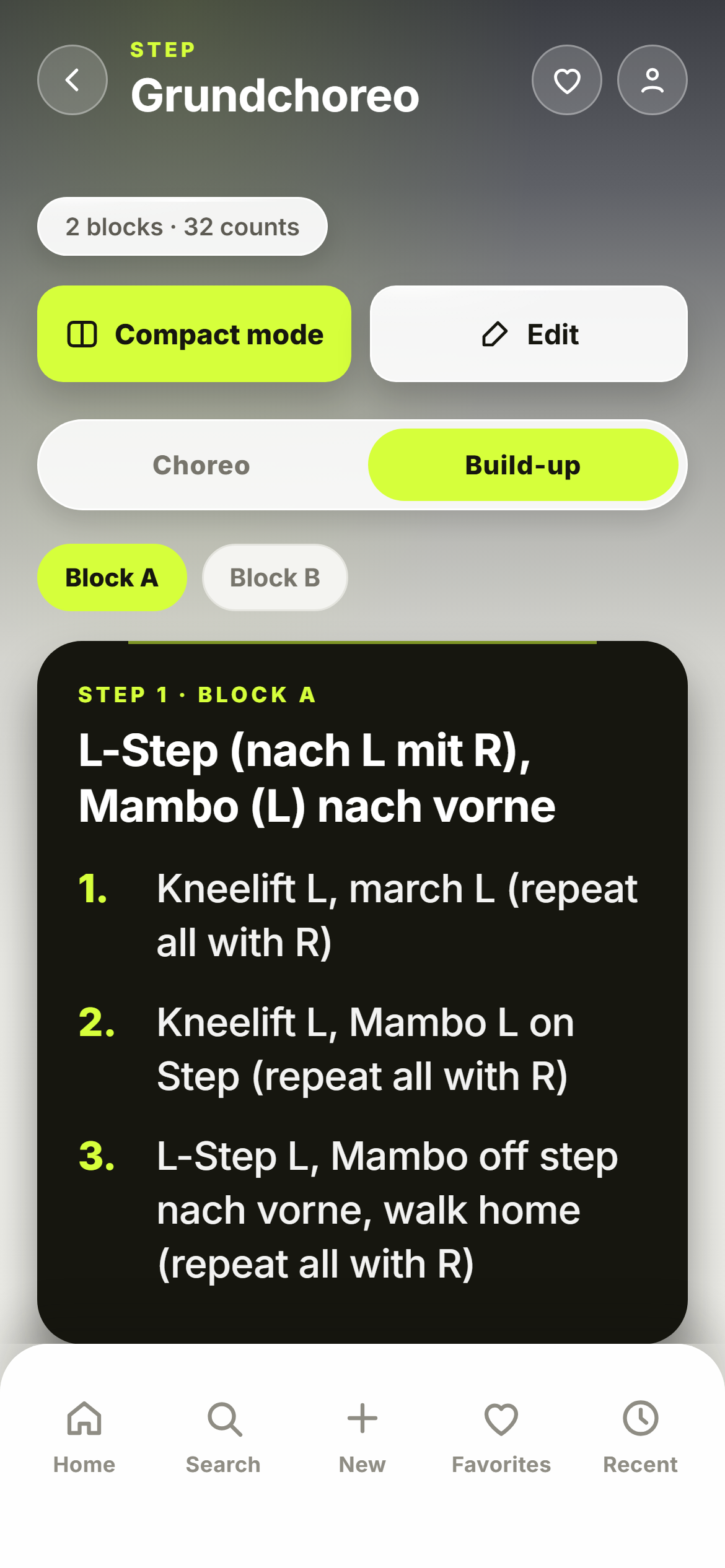
No class learns a combination in one go. In Build-up you note, for every single move, the stages you introduce it in — for example:
- Knee Lift L, March L (same with R)
- Knee Lift L, Mambo L
- All in one piece
In the editor, tap “+ Build-up” under the move, then one stage per line. The app numbers them itself. In the class plan you switch at the top between “Choreo” (the finished combination) and “Build-up”: there all moves of the block sit one under the other, each with its numbered stages, big enough to read in passing. If a class plan has several blocks, you switch between them using the block names at the top.
You can also dictate the build-up — with cue words like “first” and “after that”, the app turns it into the list.
Build-up is text. Your block's video sits in the “Choreo” view, under the moves.
Why don't I see Build-up for Yoga or TRX®?
Because Build-up is made for choreographies. The “Choreo / Build-up” toggle exists only in the six formats of the Choreo group: Step Aerobics, Dance Aerobics, Latin Dance, Zumba®, Jumping and Fat Burner. For Body & Mind, Workout and Cycling, the class plan shows the blocks directly.
Video on the block, by contrast, is everywhere — a yoga transition or a TRX® exercise films just as well as a step block.
What is compact mode?
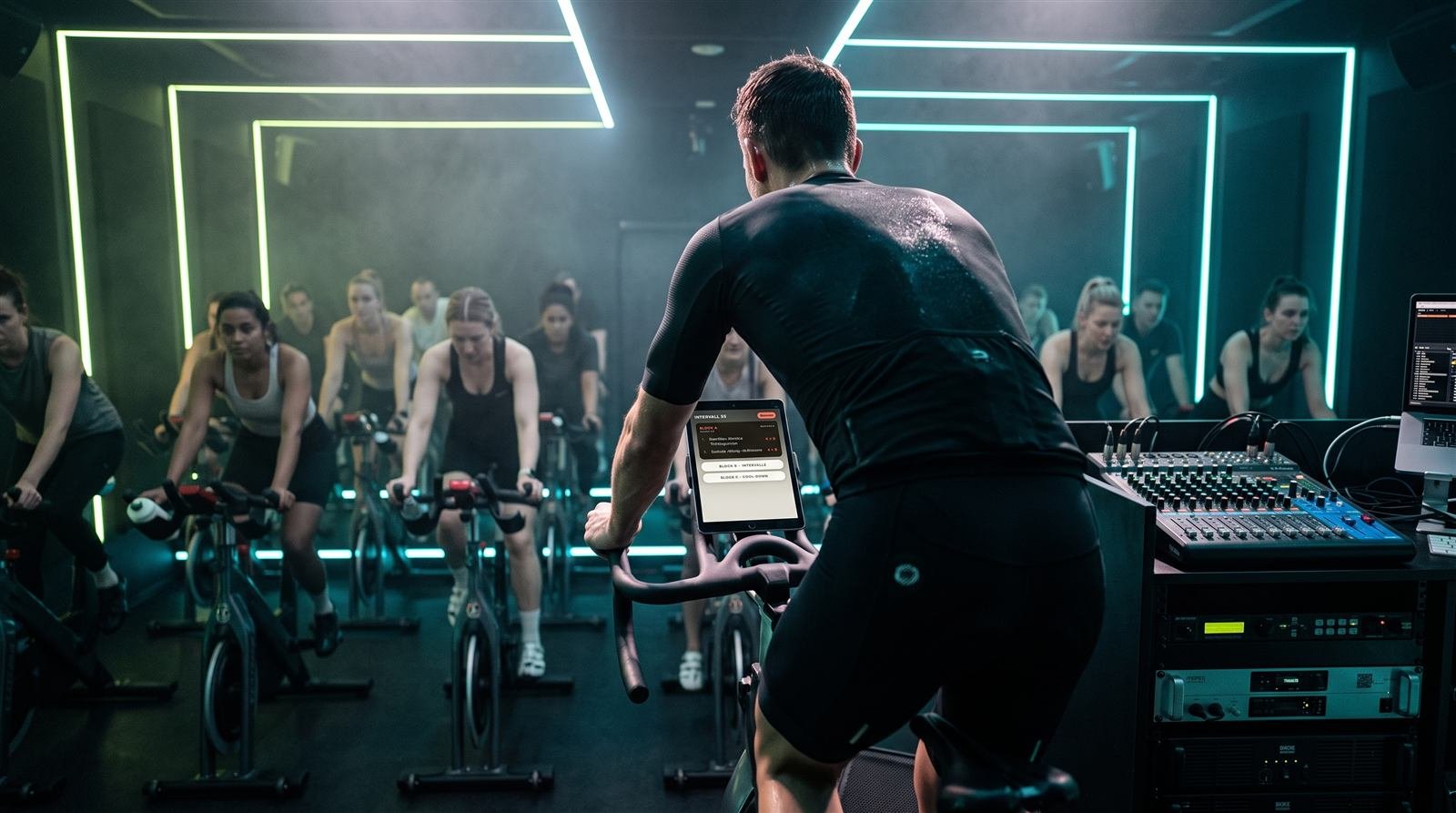
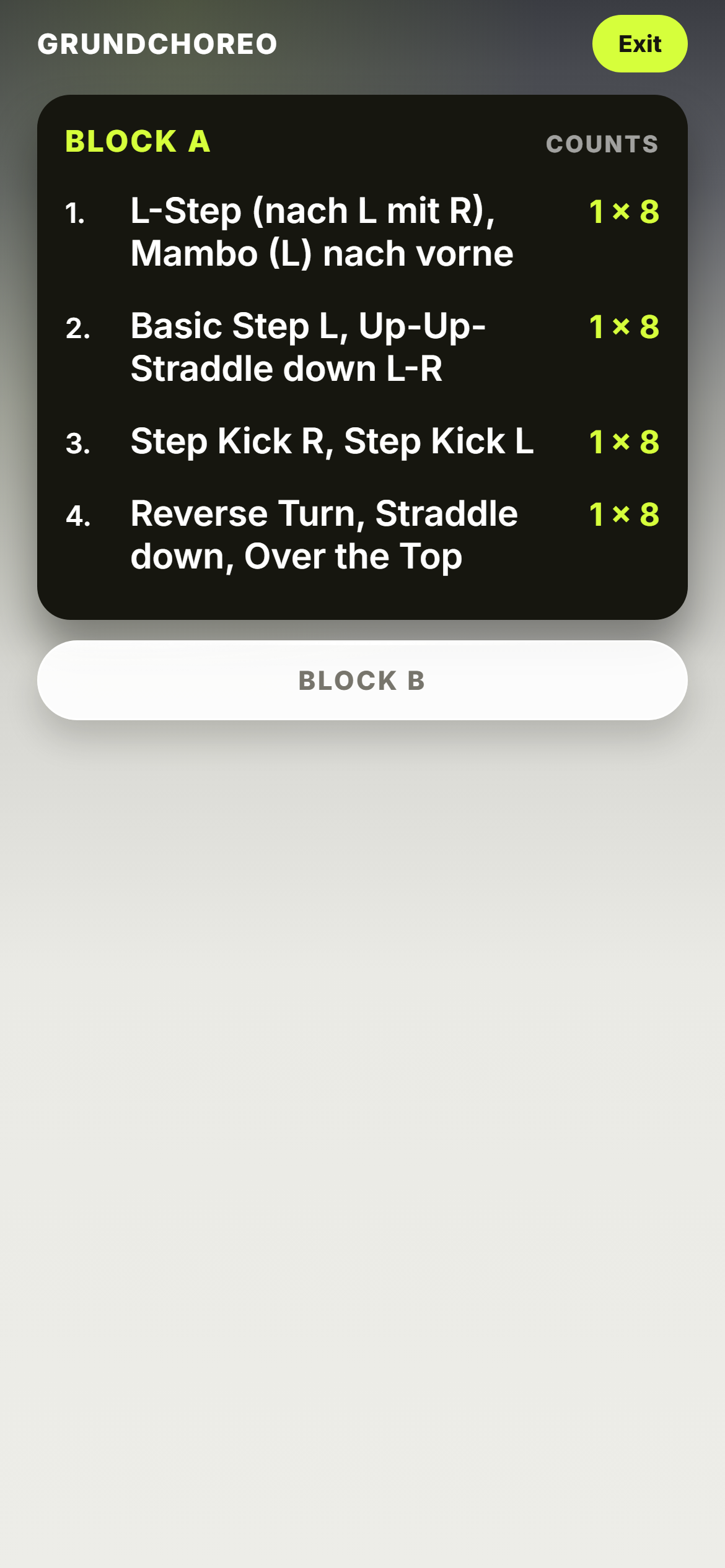
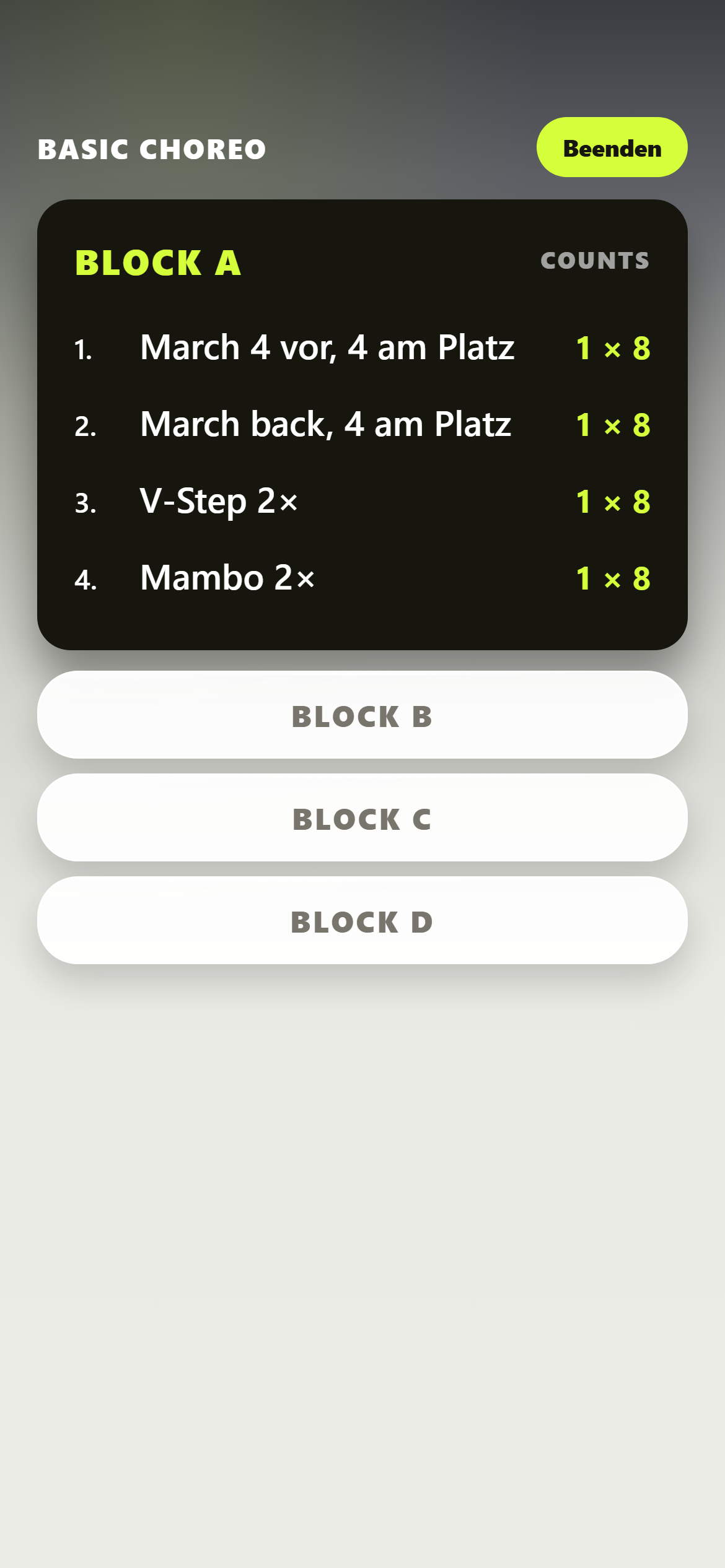
The view for the class itself. One tap on “Compact mode” hides everything you don't need mid-class: header, buttons, the totals line and the bar at the bottom. What's left is the name of the class, the open block with its moves and counts — set a little larger — and below it the other blocks as bars.
Tap the next block, done. “Exit” at the top right takes you back. The screen stays on as long as the class plan is open.
The video is here too: the card sits under the open block, just flatter. Reading from the mirror is exactly where it helps most.
How do I find a class again quickly?
Three ways, all in the bar at the bottom:
- Search — finds class plans by name, class format, block names and moves. So you can search for “Grapevine” and get every class it appears in. The build-up text isn't searched.
- Favorites — tap the heart in a class format's list or at the top of the class plan. Your most important classes then sit in one place, sorted alphabetically.
- Recently used — the last 20 class plans you opened, newest first.
How do I delete a class plan?
In a class format's list, there's a trash can next to every class. The app asks once — after that, the class plan is gone. There is no trash to restore from and no undo. If you're not sure, edit the class rather than deleting it.
Your recordings in your device's photo library are untouched by this — ChoreoPad always works with a copy of its own.
With an account, the deletion is also reported to the server. What happens if you have no internet at that moment is under Data and account.
Dictate your choreo.
How does dictation work?
In the editor, tap into a text field — name of the class, block name, move or build-up. Next to the field you're in, a microphone appears. Press, speak, and the text shows up while you're still talking. Tap the microphone again to stop.
If the field already has something in it, the app appends what you said on a new line — nothing gets overwritten. The first time, your device asks for microphone permission.
Does it understand terms like “Grapevine” or “Kick Ball Change”?
Yes. ChoreoPad already knows over 500 terms from the studio — V-Step, Step Touch, Grapevine, Mambo, Repeater, Kick Ball Change, Chassé, Cha Cha Cha, Body Roll, Downward Dog, Vinyasa, Hundred, Teaser and more. They're handed to the recognition as a vocabulary list, and whatever still comes in wrong, the app straightens out afterwards. You say “vee step wit right foot, mamboe wit reight foot, stap toche for teimes” — the field reads V-Step with right foot, Mambo with right foot, Step Touch 4 times. French step names like Chassé or Pas de Bourrée only get through if you say them the way they're spelled — pronounced the French way, nonsense comes out.
It deliberately sets no question marks or exclamation marks — a choreo note isn't prose.
Can I mix English and German?
Not within one recording. Recognition runs in one language per recording — the one your app is set to. The step names themselves aren't the problem, whatever language they come from — they come in through the vocabulary list: “First V-Step, after that Grapevine to the right” works.
What doesn't work: switching to whole German sentences in the middle of a recording. For that, set the app to German.
Can I dictate the build-up too?
Yes, and it's the fastest way. There are no line breaks when you speak — but you count out your build-up aloud anyway. The app turns cue words into the numbered list:
- first, second, first of all, point 3, number four — set the number
- after that, next, afterwards, finally, last — count one further
A plain “then” is deliberately left alone. In class it sits far too often in the middle of a move (“Step Touch, then Grapevine”) and would tear the list apart.
Next to the “+ Build-up” line there's a microphone of its own: it opens the build-up and starts recording right away.
Where does my voice go — does it stay on the device?
ChoreoPad stores no audio recordings — not on the device and not on a server. Only the recognized text is processed, and it lands in the field you're speaking into. Where the recognition itself runs differs by system:
- iPhone and iPad: on the device first — your voice doesn't leave it. Only if that fails does the app make a second attempt through Apple's speech recognition.
- Android: through Google's speech recognition, the same one behind the microphone key on your keyboard. The recording goes to Google's servers for that. On-device recognition on Android is noticeably weaker for dictation with technical terms, so there it's only the fallback.
If you don't want that on Android, don't use dictation there — every field can be filled just as well from the keyboard. Everything else is in the privacy policy.
Does dictation work without internet?
On iPhone and iPad yes — recognition runs on the device first there anyway.
On Android the app tries on-device recognition without a connection. That only works if Google has the matching language pack there, and the results are noticeably worse than with a connection.
Nothing happens when I tap the microphone. What now?
The app tells you what's going on — a message appears under the save buttons:
- “This doesn't work without microphone permission” — you declined the permission. You can grant it later in your device's settings.
- “Nothing heard” — the recording ran, but nothing came in. Press again and speak a little louder.
- “Speech recognition stopped” — the device refused the recording. Try again; on Android it often helps to check the connection briefly.
Tablet on the step, music playing.
Can I play my music from the app?
No. ChoreoPad plays no music and controls none — the app makes no sound. Your videos play muted too, so they don't fight your sound system. That's exactly why ChoreoPad can't interrupt your music: Spotify, Apple Music, WOW Music or MoveYa keep playing while you switch to the choreo and back, as often as you like.
The one exception is dictation. While you speak a move in, ChoreoPad briefly needs the microphone, and your device may turn the music down on its own while it does.
Does the screen switch off mid-class?
No. As long as a class plan is open — in the normal view as in compact mode — ChoreoPad keeps the screen on. Your device's lock only kicks in again once you leave the class plan.
Keep the battery in mind: a tablet with its screen on all the time easily lasts a class, but not a whole day without a power outlet.
Can I stand the tablet sideways?
Stand it, yes; rotate it, no: ChoreoPad runs in portrait only. If you turn the tablet sideways, the display stays upright. So plan your stand for portrait.
The video panel is landscape all the same: as wide as the block and in 16:9 — which is why you film in landscape.
How big is the type on the tablet?
On the tablet, the type is a third larger than on the phone everywhere, and in compact mode moves and counts gain a little more. Moves are white on a dark block, counts in the color of your class format — that's the contrast you need from the mirror.
The app has no font size setting of its own.
Do I need internet in the studio?
No. Your class plans live on the device. Opening, switching blocks, compact mode, Build-up, watching a video — everything works without a connection. Even with an account, the app works locally first; the sync picks up the connection when it's there.
You only need internet for syncing between devices, for dictation on Android and for updates.
Is there a timer for Tabata or intervals?
No. For Tabata / HIIT and HYROX® you enter the time or distance as text — “20 s”, “40 s”, “1000 m” — and read it off. A running clock, a countdown or a metronome are not in the app. Use your device's clock or your music app for that.
Your notes say what, your video shows how.
New in ChoreoPad. A short video of yourself, under the block it belongs to. Here’s how it gets there, what it can do — and where it stays.
How do I attach a video to a block?
Open the class plan and open the block. Under the last move it says “Add a video from your library”. Tap it — your library opens. A ring spins briefly, then it says “Ready — watch it now”. From now on the card reads “Watch video” with the length in seconds.
A tap on the card opens the video in a panel as wide as the block, in 16:9. Below it, two buttons: Close video (black) and Remove video (red), and under them the line “Stays on this device. Videos are not synced.”
One video per block. The first time, your device asks for permission to use the photo library. ChoreoPad never asks for the camera — you film beforehand with your device’s own camera app.
How long can a video be?
60 seconds at most. If you pick a longer one from your library, the app declines it and tells you the exact length — trim it in your device’s Photos app, then pick it again.
Why 60: a 64-count block at 128 beats per minute takes 30 seconds. Shown twice, that’s 60. A shorter limit would have cut right through a common format.
Which class formats does this work in?
All 17. A yoga transition, a TRX® exercise, a Tabata round, a step block — the same panel under the block everywhere. Build-up stays reserved for the choreo formats; the video doesn’t.
What’s the best way to film?
Phone in landscape, far enough away that all of you is in the frame. Dance the block once at class tempo — twice if there’s time. That’s all it takes: the video is for you, not for an audience. It only has to show the spot where you’d otherwise stop and think in class.
Landscape, because the panel in the app is 16:9. A portrait video plays too, but only fills the middle of the panel.
Should I record with or without music?
Better without. During class the music already comes from your sound system, so a second audio track from your tablet would only fight it. That is why ChoreoPad always plays videos muted. And music in a video is someone else’s copyright. Dance the routine once without music and the video is yours to use anywhere.
Why don’t I hear anything when the video plays?
Because the player in ChoreoPad is muted — on purpose. In the studio your music is playing, and a video talking over it helps nobody. The video itself stays exactly as you recorded it; ChoreoPad changes nothing about it.
Does the video come to my second device?
No. Sync transfers the text of your class plans — name, format, blocks, moves, counts. Videos stay on the device you attached them to, account or not. On the other device the block shows the “Add a video” card; if you need the video there, attach it there once more.
Attaching a video doesn’t count as a change, by the way: it triggers no sync and overwrites nothing you wrote on the other device.
New phone or app reinstalled — are my videos gone?
Yes. When you attach a video, ChoreoPad stores a copy of its own inside the app. Delete the app or switch devices and that copy is gone — with or without an account. The account brings back the text of your class plans, not the videos.
Your recording in the photo library stays as long as you don’t delete it there. Then you just attach it again. If a block shows the message “The video file is gone”, that’s exactly what happened.
Do I need Pro for video?
No. Video on the block is in Free too — on the device you attach it to. Pro only lifts the limit of two class plans of your own, nothing else.
How much storage does it take?
As much as the video in your photo library — ChoreoPad keeps a copy. As long as the recording is also in your library, you have it twice on the device. How much that is depends on your camera settings; you can check it in your device’s storage settings under ChoreoPad. A video you remove frees its space right away.
Can I trim the video in ChoreoPad?
No. The app accepts what’s 60 seconds or shorter and declines everything else — it doesn’t trim. Trim in your device’s Photos app (iPhone: open the video, “Edit”, drag the ends; Android: the same in Google Photos). Then pick it again.
How do I remove a video?
Open the panel, tap “Remove video”. The app asks once: the video is removed from the block and deleted from the device — your recording in the photo library stays. After that, “Add a video” is back under the block.
Do I see the video in compact mode or in Build-up?
In compact mode yes, in Build-up no. Compact mode shows the video card flatter under the block — right where you need it from the mirror. Build-up is plain text and does not show it.
What does ChoreoPad see of my photo library?
Only the one video you pick. The app opens the library only when you tap “Add a video from your library” yourself, and gets exactly the file you tap — nothing else. The copy lives inside the app and never leaves the device.
Can I film my participants?
The video stays on your device; ChoreoPad uploads it nowhere. Still: film yourself, not your group. Anyone in the frame has to agree — that’s true regardless of the app, and for your practice video you don’t need anyone but yourself anyway.
Where things live — and how they get there.
The binding version is the privacy policy. Here are the answers to what comes up in everyday use.
Where are my class plans stored?
Without an account: on your device only. Nothing is transmitted.
With an account: additionally on a server in Frankfurt am Main, Germany, run by Supabase. What's transmitted is your email address, an encrypted password and the class plans themselves — name, class format, blocks, favorite mark and the times of last use and last change. Each account sees only its own classes.
Videos are never transmitted — account or not, they stay on the device you attached them to.
Your first name from the profile stays on the device in every case. It's only used for the greeting.
How do I get my classes onto a second device?
- On the first device, create an account in the profile: email and password (at least 6 characters), “Sign up”. You get a confirmation email — confirm, then sign in.
- On the second device, sign in with the same details. On sign-in, the app fetches your classes.
After that, ChoreoPad syncs when you save a class, set a heart or tap “Sync now” in the profile. Just opening the app doesn't trigger it.
If a new class doesn't show up on the second device: Profile → “Sync now”. Videos don't come along — attach them again on the second device if you need them there.
I changed the same class on my phone and tablet. Which one counts?
The newer change wins — for the whole class plan. The app doesn't merge the two versions line by line; the older one is replaced at the next sync. So better finish editing a class on one device before you touch it on the other.
Attaching or removing a video doesn't count as a change. It doesn't make the class plan “newer”, so it can't overwrite text from the other device.
I delete a class plan without internet. What happens on the server?
On the device, the class is gone immediately. Without a connection, though, the report to the server doesn't get through, and the app doesn't retry on its own. So at the next sync the class plan can come back from the server. Then just delete it once more — with a connection, it's final.
New phone, no account — are my classes gone?
Without an account, the class plans exist only in the app on the old device. If you delete the app or switch devices, they're gone — we have no copy and can't restore them.
So: before switching, create an account on the old device and tap “Sync now” once. Sign in on the new device, done.
The account doesn't take the videos along. They stay on the old device; on the new one you attach them again from your photo library.
Forgot your password?
In the profile, tap “Forgot password?”, enter your email address, “Request code”. You get a 6-digit code by email (check your spam folder too). Enter the code, set a new password — you're signed in right away.
How do I delete my account?
By a short email to hello@choreopad.de — from the address you're signed in with. We delete the account along with all class plans on the server.
There's no button for it in the app yet; there you can only sign out. Signing out leaves your classes on the device and on the server untouched.
What exactly is deleted and what stays on the device is on the Delete account page.
Is there advertising, tracking or analytics?
No. ChoreoPad contains no ad networks, no analytics tools and no advertising identifiers. The app asks only for what it needs at that moment: the microphone during a recording, the photo library only when you pick a video for a block yourself — and internet for syncing, speech recognition on Android and updates. Contacts, calendar and location stay untouched.
What ChoreoPad
can't do yet.
You notice right away when an app promises something it doesn't deliver. So here is what isn't in the current version — with no promise of when it will come.
In the studio
-
Play or control music. The app makes no sound and doesn't touch music that's playing. Your music app runs alongside — and for exactly that reason, undisturbed.
-
Landscape. ChoreoPad runs in portrait only, on the tablet too.
-
Timer, countdown, metronome. You enter times and intervals as text and read them off.
-
Adjust the font size. On the tablet the type is fixed at a third larger; there's no slider of its own.
When creating
-
Custom class formats. There are the 17 built-in formats. Aqua fitness, kickboxing or kids' gym go under the format that fits best — Workout, for example.
-
Reorder moves or blocks. You can add and delete lines and blocks, but not move them. If a move should go further up, you have to enter it there again.
-
Copy a class plan. Duplicating one class as the template for a second isn't possible — you create the second one from scratch.
-
Trash and undo. Deleted is deleted — after the confirmation there's no way back.
-
Attach photos or music files to moves. One video per block works. Photos, audio files and a video per move don't — a move stays text plus counts.
-
English and German in one recording. Dictation listens in one language per recording — the one the app is set to. It still understands the step names regardless.
Sharing and taking with you
-
Team or studio access. Sharing class plans with other instructors or setting up a shared collection for the studio isn't possible — each account sees only its own classes.
-
Export, print, send. There's no export as PDF or file, no printing and no share button. Your classes live in the app.
-
Use it in the browser. ChoreoPad is an app for iPhone, iPad and Android — not a website you sign in to.
Account and sync
-
Delete the account in the app. The profile only has “Sign out”. To delete, a short email to hello@choreopad.de is enough.
-
Sync when the app opens. Syncing happens on sign-in, on save, when you set a heart and via “Sync now” — not automatically at launch.
-
Catch up on offline deletions. If you delete offline, it doesn't reach the server, and the app doesn't retry on its own. The class can come back at the next sync — then delete it once with a connection.
-
Merge changes from two devices. The newer version replaces the older one — whole, not line by line.
-
Sign in with Apple or Google. The account runs on email address and password.
-
Dark mode. The app is kept light; the blocks in the class plan are deliberately set dark.
This list describes the version of September 9, 2026. It gets updated when something changes — not before.
Your question wasn't here?
Write to us. We answer personally — and if a question comes up often, it ends up here.